Har Paise Ka HisabVerified by Play Protect

The expense trackerthat fills itself in

PaisaSync reads the bank and UPI SMS already on your Android phone and turns them into a categorised spending record — no bank login, and your transactions never leave the device.

  • check_circleNo bank login
  • check_circleFree forever plan
  • check_circleWorks offline
smsHDFCBKnow

Rs 480.00 debited a/c XX4412 to SWIGGY via UPI

restaurant

Swiggy

Auto-categorised

−₹480

Food
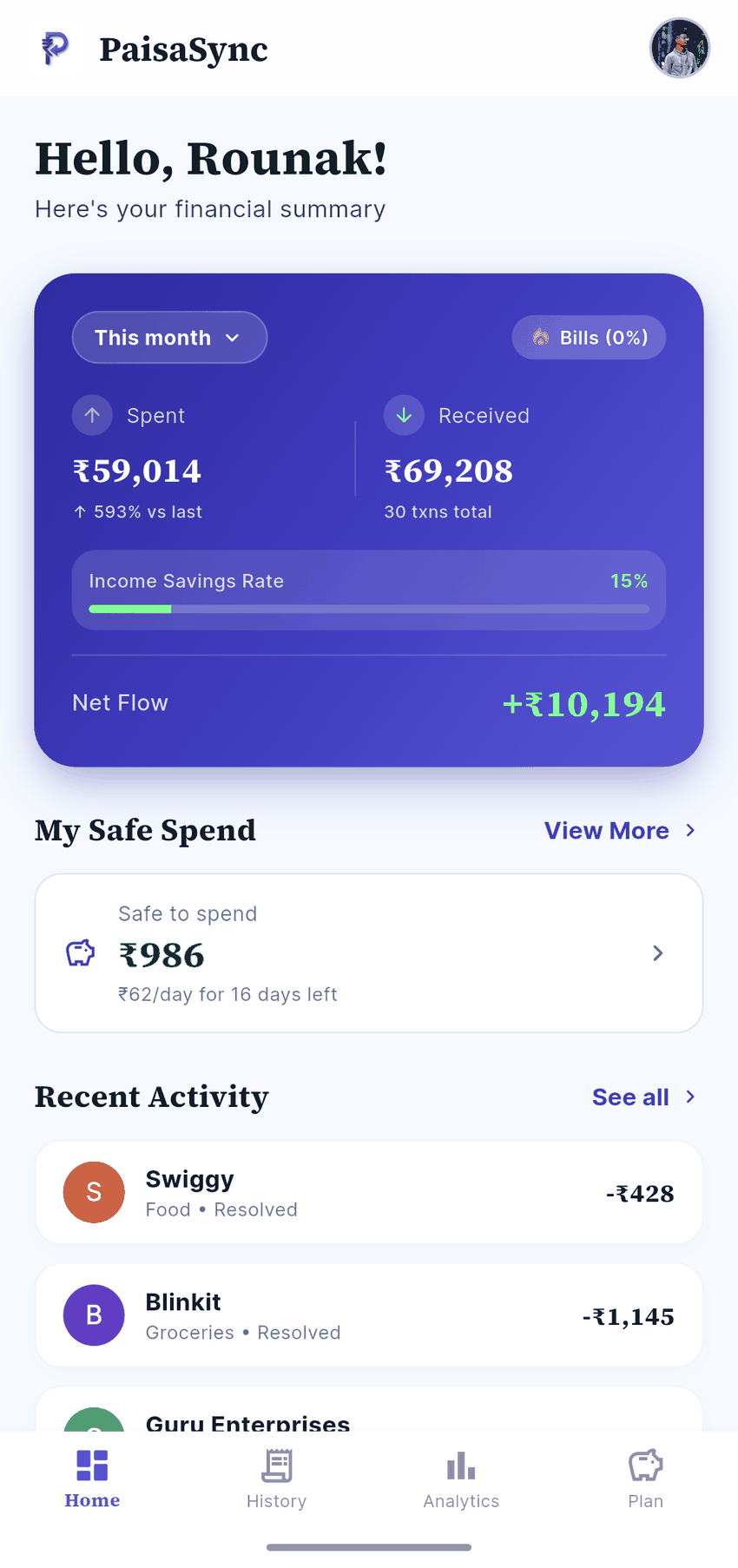
PaisaSync dashboard showing safe-to-spend, net flow and recent transactions
smsWorks with what you already use

Reads the alerts your bank already sends

The parser follows Indian bank and UPI message formats rather than a fixed list — an unfamiliar bank usually still works.

  • HDFC Bank
  • SBI
  • ICICI Bank
  • Axis Bank
  • Kotak
  • IDFC First
  • Canara Bank
  • PNB
  • Bank of Baroda
  • Union Bank
  • Yes Bank
  • IndusInd Bank
  • Federal Bank
  • AU Small Finance
  • Google Pay
  • PhonePe
  • Paytm
  • CRED
  • Google Pay
  • PhonePe
  • Paytm
  • CRED
  • Google Pay
  • PhonePe
  • Paytm
  • CRED

Bank and app names and logos are trademarks of their respective owners. PaisaSync is not affiliated with, endorsed by or partnered with them.

Watch it work

A text arrives. Your ledger updates.

That is the entire workflow. Your bank already texts you every time money moves — PaisaSync reads that message on your phone, pulls out the amount and merchant, files it under a category and moves your budget. You do nothing.

  • boltCaptured the moment the SMS lands
  • categoryCategorised by merchant — correct it once, it remembers
  • cloud_offParsed on the device, not on a server
The full mechanismarrow_forward
Live on your phoneOn-device
smsHDFCBKnow

Rs 480.00 debited from a/c XX4412 to SWIGGY via UPI. Ref 552310884471

memoryWaiting
restaurant

Swiggy

Awaiting alert

—

…
Food & groceries budget62% used

No bank login. The message never leaves the phone.

0

Transactions on our servers

0

Free money calculators

0

In-depth guides

₹0

Rupees to start

Inside the app

Four screens you will actually use.

Hover a card to see the screen — this is the real app, not a concept.

09:41
signal_cellular_altwifibattery_5_bar
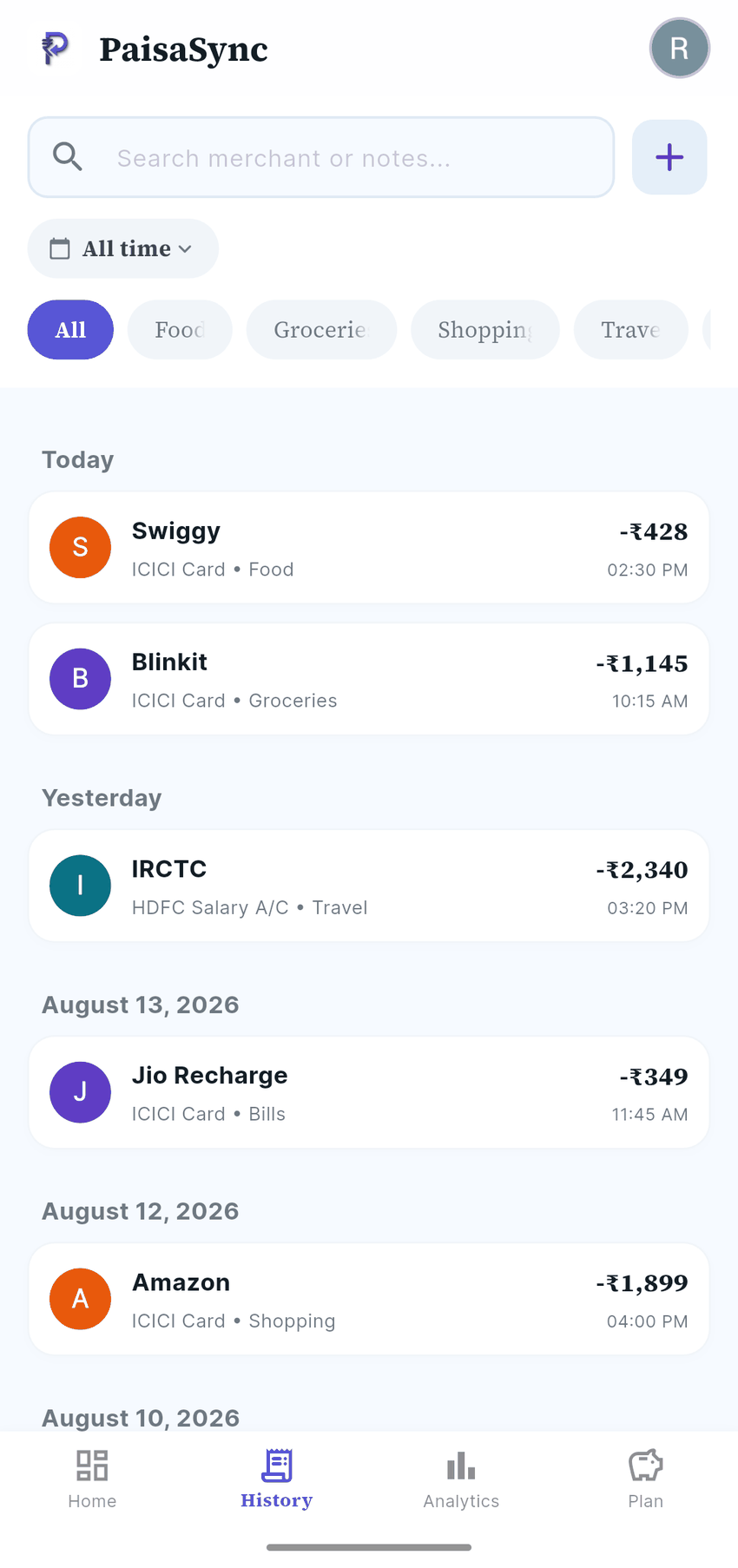
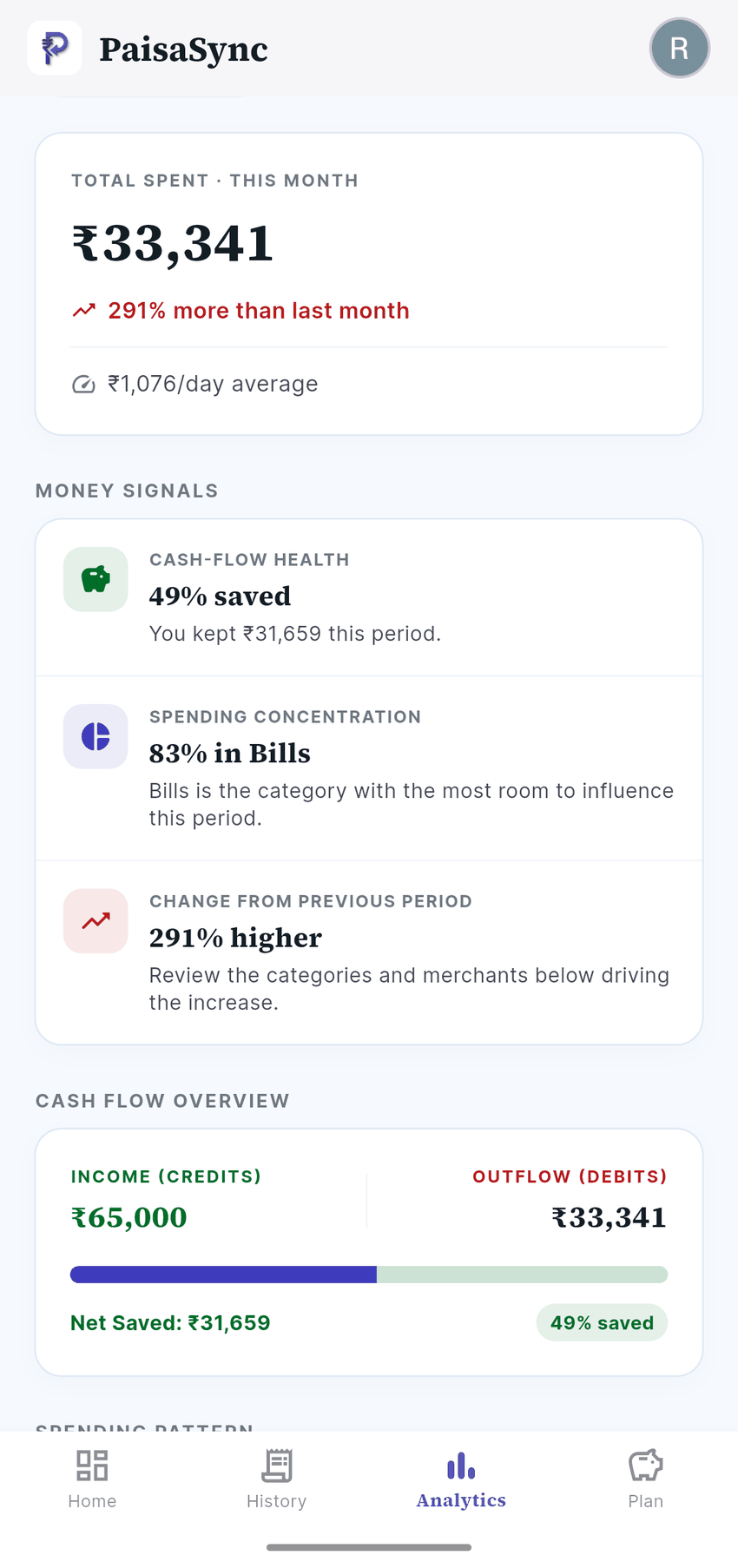
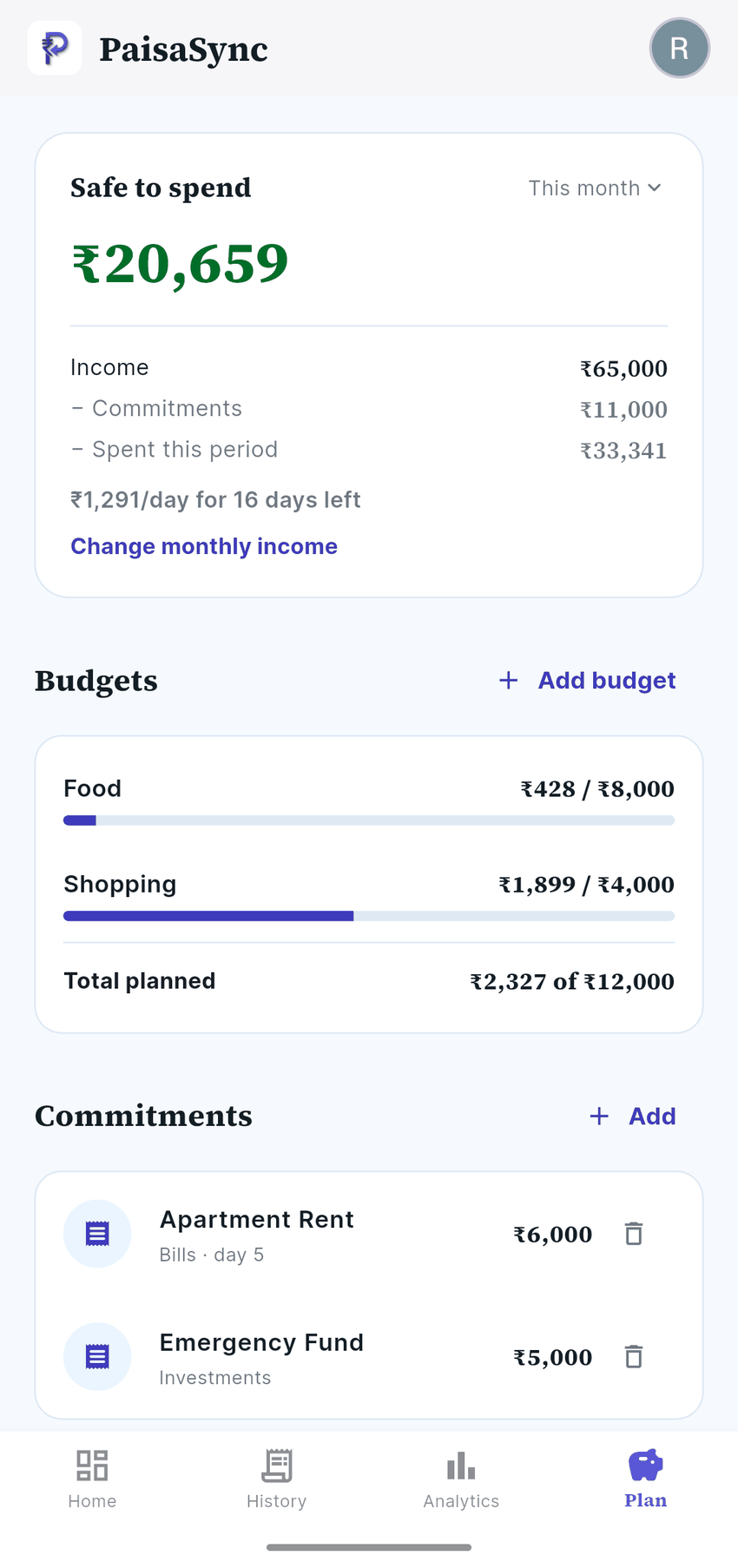
PaisaSync dashboard showing safe-to-spend money and recent activityPaisaSync transaction history, grouped by day with category tagsPaisaSync analytics showing total spending and money signalsPaisaSync budget screen with safe-to-spend amount and commitments
Privacy

Your data never leaves your phone.

We build with on-device processing from the ground up. No accounts to link, no bank passwords to share, and no servers holding your financial information.

smartphone

On-Device Parsing

All SMS parsing and categorisation happens locally on your phone's processor. No message content is ever uploaded.

vpn_key_off

No Bank Logins

We never ask for your bank usernames, passwords or OTPs. Your bank accounts remain completely secure.

visibility_off

Zero Cloud Storage

We don't store your transactions on our servers. Because we don't have them, we can't lose them or sell them.

Why PaisaSync?

Traditional cloud-based expense trackers store your financial data on their servers, often analysing or selling it to third parties. We take a different approach.

close

Traditional trackers

Upload your SMS data to their servers. Prone to data breaches and privacy violations.

check

PaisaSync

Everything happens on your device. We literally cannot see your data, ensuring total peace of mind.

Local-first architectureSecure & direct
smartphoneYour device
Your Driveadd_to_drive
lock

Zero server transmission

Data moves directly from your local SQL database to Google Drive. We host no cloud database that could be breached.

key

Private encryption keys

Backups are encrypted using on-device private keys. Even Google cannot read your sync files without permission.

Direct sync statusverifiedEnd-to-end private
Setup

Running in under a minute.

Scroll through the three steps — the phone keeps up.

  1. Install App

    Download securely from the Google Play Store.

    check_circleFrom the Play Store
    PaisaSync dashboard after setup
  2. Allow Access

    Grant SMS permission for on-device parsing only — no message content leaves your phone.

    check_circleOn-device parsing only
    Transactions captured from bank SMS
  3. You're Done

    Watch as your last few months of transactions organise themselves in seconds.

    check_circleMonths of history, in seconds
    Budgets and safe-to-spend for the month
Features

Intelligence built in.

The financial assistant does the heavy lifting while respecting your privacy boundaries.

SMS auto-parsing

sync

Intelligently parses bank and UPI SMS alerts to log transactions instantly. Zero manual entry needed.

south_west
+₹0
lock

Local-only storage

We never upload your transaction logs to the cloud. Your financial records are encrypted and stored purely on-device.

Net worth tracking

Understand your true wealth with multi-account balances, presented natively in lakhs and crores.

₹0.0L

Categorization engine

Merchant and message patterns sort spending into food, travel, bills and more. Correct one and it remembers that merchant forever.

Swiggy → FoodUber → Travel+ Add custom rule
Pricing

Free forever. Pro when you want it.

Core tracking costs nothing. Pro removes ads and adds backup — monthly, yearly, or once.

FeatureFreeForeverPro Monthly₹29/monthMost popularPro Annual₹199/yearPro Lifetime₹399
Native SMS Auto-Parsingcheck_circlecheck_circlecheck_circlecheck_circle
Manual Expense Entrycheck_circlecheck_circlecheck_circlecheck_circle
Budgets & Limitscheck_circlecheck_circlecheck_circlecheck_circle
Financial Goals Trackingcheck_circlecheck_circlecheck_circlecheck_circle
Commitments & Recurring Billscheck_circlecheck_circlecheck_circlecheck_circle
Custom CategoriesUp to 3UnlimitedUnlimitedUnlimited
Google Drive Backuplockcheck_circlecheck_circlecheck_circle
AdslockZERO ADSZERO ADSZERO ADS
Custom Category Regexlockcheck_circlecheck_circlecheck_circle
Notification Listener Sync ( Coming Soon )lockcheck_circlecheck_circlecheck_circle
Priority Support——check_circlecheck_circle
Start free, upgrade anytime
Guides

Written for India

Budgeting, UPI tracking and money habits — in rupees, for Indian banks.

All articlesarrow_forward
FAQ

Questions, answered.

Is my data safe?expand_more

Yes — that is the whole design. PaisaSync reads SMS locally on your device to extract transaction details, and that data stays in a database on your phone. We have no server holding it, so there is nothing for us to lose or sell.

So is the app completely offline?expand_more

The tracking is. Three things do use the internet: signing in with Google to identify your account, ads in the free version, and app updates. Your transactions, balances and budgets are never among them — they stay on your device, and the app keeps working with no connection at all.

Why does it need SMS permission?expand_more

That is how it finds your transactions. Your bank already texts you every time money moves; PaisaSync reads those messages on your device and turns them into a spending record. Without the permission you can still add everything by hand.

Which banks work?expand_more

It is not built around a fixed list. The parser understands the formats Indian banks and UPI apps use — HDFC, ICICI, SBI, Axis, Kotak, IDFC First, Canara, PNB, GPay, PhonePe and many more. An unfamiliar bank usually still works.

Is it free?expand_more

Yes. SMS auto-capture, manual entries, budgets, goals and recurring bills are free forever, with no trial and no card required. Pro removes ads and adds Google Drive backup, unlimited custom categories and custom category rules — ₹29/month, ₹199/year or ₹399 once for lifetime.

Is it available on iPhone?expand_more

Not yet. Apple does not allow any app to read SMS, so the automatic part cannot work on iOS.

What happens if I change my phone?expand_more

Your data lives on the device, so on the free plan it does not travel with you — re-installing and re-scanning rebuilds your history from the SMS still on your phone. Pro adds an encrypted backup to your own Google Drive that you can restore on the new phone.

Know where every rupee went without typing a thing.

  • boltTracks every supported bank & UPI SMS on its own
  • lockLedger stays on your phone — no bank login
  • paymentsBudgets, bills and safe-to-spend in ₹
Get it on Google PlayFree forever plan·No bank login·Android